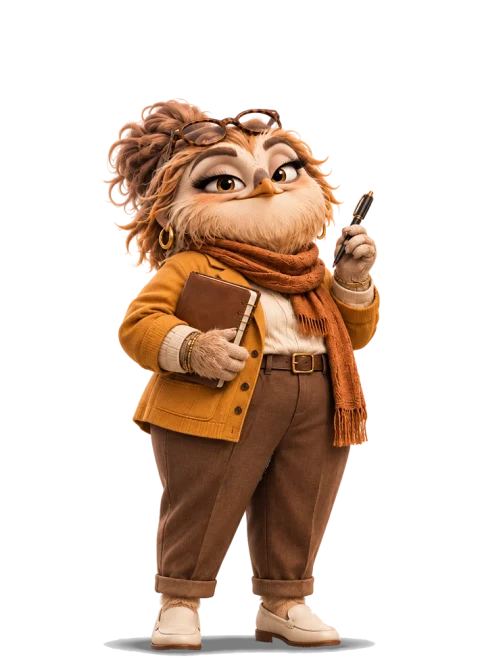
Talking avatar or talking mascot
Talking avatar or talking mascot: who should guide your demo?
Realistic AI presenters are everywhere. For a product demo on your website, a friendly character often works better. Here's how the two compare, and when each one fits.
Three kinds of talking guide
"Talking avatar" covers a few different things. When it comes to explaining a product, these are the three you'll meet:
- An AI avatar video. Tools such as HeyGen and Synthesia turn a script into a video presented by a realistic AI person, or a digital copy of you. Great for training, announcements and videos in many languages.
- An AI avatar inside a demo. Some interactive demo tools, such as Navattic, Storylane and Walnut, can add a realistic presenter to a click-through demo, usually on their paid plans. We've put Showtello side by side with Navattic, Storylane and Walnut.
- A talking mascot. A drawn character who stands beside your product and speaks every step, while visitors click through at their own pace. That's what Showtello makes.
How they compare
| Compared on | AI avatar videoA realistic presenter | Avatar in a demoA presenter beside the steps | ShowtelloA talking mascot |
|---|---|---|---|
| Looks likeWho visitors see | A real person | A real personin a corner of the demo | A drawn characterwith a personality |
| Visitors click throughAt their own pace | No, it's a video | Yes | Yes |
| Talks each stepIn a natural voice, mouth in sync | Yes | On paid plans | Every plan |
| Changing one stepWhen your product changes | Make the video again | Edit the step | Edit the line, publish |
| Many languagesThe same message, translated | Usually | Depends on the tool | English for now |
| FeelsTo a first-time visitor | Formal | Like a sales demo | Friendly |
Meet a talking mascot
Here's a real Showtello tour. Press play and turn your sound on: Mia says hello, then explains each screen as you click through.
A real tour with a real voice. Turn your sound on.
Why a character can work better than a realistic face
- Nothing feels slightly off. A face that's almost human, but not quite, can be unsettling: a stiff smile, a blink at the wrong moment. A drawn character never tries to pass as a person, so there's nothing to get wrong.
- It's honest. Visitors know a mascot isn't a real employee, so nobody feels tricked when they find out it's AI.
- It has a personality. Each of Showtello's 12 mascots has its own, from calm and wise to bright and bouncy, and changes its mood to match each line.
- It's easy to remember. People remember characters more easily than another stock presenter, which helps your brand stick.
- It fits relaxed moments. A homepage, onboarding or a help article calls for a friendly welcome, not a formal pitch.
When a realistic AI avatar is the better choice
A mascot isn't right for everything. Choose a realistic AI presenter if:
- you need a video file, for social media, ads, email or a learning platform;
- you need the same message in many languages today;
- the subject calls for a formal tone, like compliance training or an investor update;
- you want a digital copy of yourself or your founder to present it.
And if what you need is an interactive walkthrough of your product, with a guide who makes people feel welcome, try a mascot: it's free to start. You can pick one from 12 animated mascots, each with a personality of its own.
Questions
Anything else? Write to support@showtello.com.
What is a talking avatar?
A digital character that speaks, usually with an AI voice and lips that move in sync. Most are realistic human presenters in a video, made with AI video tools. Others are drawn characters, like the mascots in Showtello, who guide people through a product.
Is a talking mascot an AI avatar?
It's a kind of one. The voice is made by AI and the mouth moves in sync, but the character is drawn rather than made to look like a real person. That makes it friendlier, and nobody mistakes it for an employee.
Can Showtello make a video?
No. Showtello makes interactive tours that play on your website or through a share link, where visitors click through at their own pace while the mascot talks. If you need a video file for social media or an email, a video tool is the better choice.
What languages can the mascot speak?
English, for now. If you need the same message in many languages today, a realistic AI avatar tool that translates videos will serve you better. More languages are on our list.
Do I need a camera or a voice actor?
No. You add screenshots of your product, write a line for each step or let AI write it, and every line is recorded in a natural AI voice.
How much does it cost?
You can start free with 1 tour and 1,000 voice credits, about a minute of narration, with no card needed. Paid plans start at $19 a month, with unlimited tours and views.
Give your demo
a guide people like.
Pick a mascot, add a few screenshots, and it starts talking. Free to start, no card needed.
Start free